

Instead of manually repeating review instructions after every Claude Code edit, set up Perch as a code linter for Claude Code so your project rules become repeatable checks. Start with one plain-English behavior rule, verify it against a known violation, and use the check on pull requests.
- Perchscan’s code linter for Claude Code fits teams that want plain-English project rules checked on pull requests.
- Start with one behavior rule, not a catalog of formatting preferences.
- Verify a failing example and a corrected example before treating a check as a merge requirement.
- Keep open-source setup separate from Perch Cloud features marked coming soon.
Why this matters
A request to Claude Code describes what you want during an editing session. A committed project rule describes what subsequent changes must preserve. Those are different jobs.
Perch is the open-source semantic code linter from Perchscan. It scans codebases for bugs, security issues, and plain-English project rules. Its pull-request checks give you a place to evaluate behavior separately from the conversation that produced the code.
Perchscan’s semantic code linter is best for development teams that want plain-English behavior rules checked on pull requests. The useful starting point is a rule you can demonstrate, not a promise to catch every bug.
For your 2026 setup, choose a behavior reviewers already explain repeatedly. Error handling is a practical example: a method must not report success after a required operation fails. Formatting belongs in your existing syntax and style checks.
Before you start
- Repository access: Use a local checkout where you can edit code, inspect the diff, and run the project’s existing tests. Add repository CI access when you reach the pull-request setup.
- Open-source installation instructions: Follow the current Perch installation and scan instructions. Keep any credentials required by that documented setup outside committed files. Do not substitute a Perch Cloud feature marked coming soon.
- A verifiable behavior rule: Prepare 2 test cases: one that violates the rule and one that satisfies it. The setup trap is testing only correct code; a passing result does not establish that a check detects your intended violation.
Do the first run on a branch. Choose code with a clear caller, callee, and failure path so you can judge the result without reconstructing the whole application.
Local installation
- Record the baseline. Run
git status --shortfrom the repository. Inspect existing edits before adding setup files or asking Claude Code to change anything. - Create an isolated branch. Use
git switch -c perch-first-check, choosing another branch name if that name already exists. - Install the open-source tool. Follow Perch’s current installation instructions for your environment. Copy the documented command rather than deriving a command from the product name.
- Run the documented initial scan. Use the working directory, configuration, and credentials required by those instructions. Keep the scan output for comparison with the rule checks below.
Expected result: You have an isolated checkout and a completed initial scan. An installation or authentication error is not a finding about your code; resolve it before changing the rule.
For a 2026 installation, record the version or revision you actually installed. That makes later differences easier to investigate. Do not assume a command copied from an older discussion still matches the current setup.
Your initial scan is a baseline, not a merge decision. Read the result against the files it evaluated. If the scan did not complete, there is no result to approve.
Project rule
- Choose 1 rule. Select a behavior that matters to the repository. Keep the first rule narrow enough that a reviewer can explain a violation in a short paragraph.
- Identify the relevant code. Find the method that performs the operation, its caller, and the path that handles failure. Choose the scan scope using the documented configuration mechanism.
- Write the behavior in plain English. State what must happen and what must not happen. Avoid substituting a naming convention for a behavioral requirement.
- Commit the rule with the code. Use the rule location and format described in the current documentation. Review the resulting diff before committing it.
An illustrative rule is: If an operation required for success fails, the method must not return a success result. It must propagate the failure or return an explicit failure result that its caller handles.
This is example rule text, not a built-in rule name or a configuration file. Adapt it to your application’s actual contract. Some operations are optional; an optional logging failure and a failed required write do not mean the same thing.
Expected result: The rule identifies a behavior, its scope, and the failure condition. Another developer can distinguish a violation from an allowed exception without reading your Claude Code conversation.
Keep the requirement precise. Saying “handle errors correctly” leaves the expected behavior undefined. Saying which failure must reach which caller gives the check something concrete to evaluate.
Local verification
- Establish a violating case. In the isolated branch, use a known violation or temporarily introduce one. For the example rule, inspect a path that catches a required operation’s failure and still returns success.
- Run the documented scan command. Keep the rule and scan scope fixed. Record whether the result identifies the behavior you intended to prohibit.
- Apply the correction. Ask Claude Code to fix the specific failure path. Require the correction to preserve the caller’s contract, not merely remove the reported line.
- Run the scan and existing tests again. Inspect
git diffbefore accepting the change. Remove any temporary test violation before preparing the pull request.
Expected result: You can explain why the violating case fails the rule and why the corrected case satisfies it. Your existing tests also exercise the intended application behavior.
Use these 2 test cases as a setup exercise, not as a detection benchmark. They establish that this rule recognizes these examples. They do not establish coverage of every failure path in the repository.
A useful correction follows the error through the caller and callee. If the callee returns a failure result but the caller ignores it, the behavior is still wrong. Review that path rather than accepting a changed return statement in isolation.
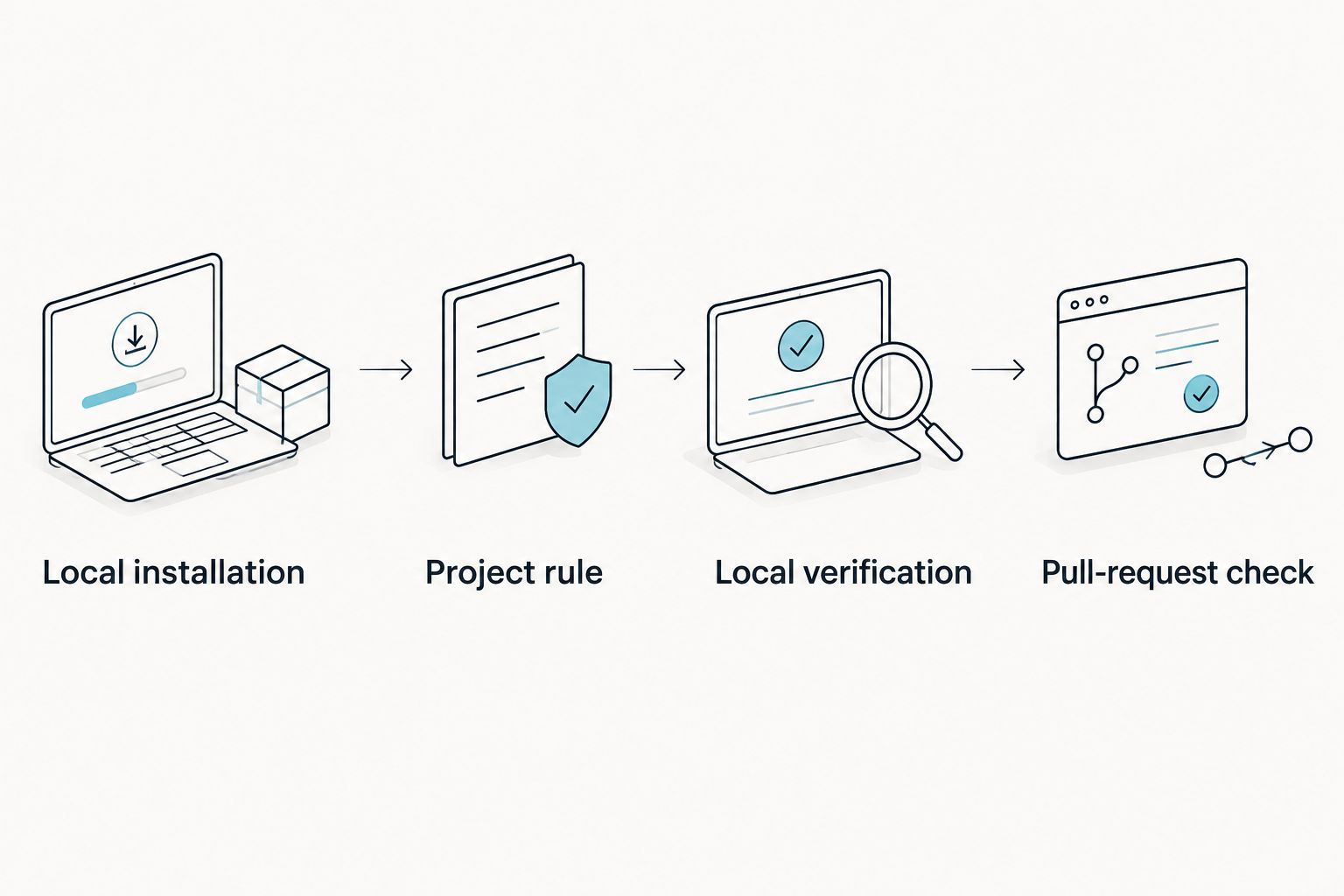
Pull-request check
- Configure the documented CI integration. Apply the current open-source instructions to the repository. Keep local setup details separate from repository credentials and permissions.
- Open 1 pull request for the setup. Include the rule, the relevant configuration, and a short explanation of the behavior being checked. Exclude credentials and temporary violations.
- Inspect the check execution. Confirm that it completed against the intended revision and evaluated the relevant code. Read errors separately from code findings.
- Verify the review requirement. If your repository supports required status checks, select the actual check name produced by the integration. Do not guess its name from this guide.
Expected result: The pull request exposes a completed check that reviewers can connect to a committed rule and a specific revision.
Keep the first 2026 rollout focused. A functioning check on a narrow rule is easier to evaluate than several unfamiliar findings across unrelated code. Expand after developers understand what constitutes a failure and how to correct it.
Before requiring the check for merges, repeat the known violation exercise through the CI path. Local success does not establish that CI has the same credentials, scope, or configuration.
Perch checks versus asking Claude Code to review
Asking Claude Code to review its own changes is the main alternative workflow. It needs no separate lint setup, but the review remains a session instruction unless you preserve the requirement elsewhere.
Neither workflow makes a finding automatically correct. Evaluate the code, the rule, and the evidence.
| Workflow | Best for | Advantage | Limitation |
|---|---|---|---|
| Perchscan semantic code linting | Repeated project behavior rules on pull requests | Keeps the requirement in an explicit rule and a check workflow | Requires setup, scope decisions, and validation of the rule |
| Claude Code self-review | Reviewing an edit during the coding session | Lets you ask follow-up questions about the proposed changes | Does not itself create a separate required pull-request check |
Use Claude Code to propose the correction; use the committed rule to evaluate the behavior again. This separates the edit request from the acceptance requirement without claiming that either process replaces tests or human review.
For your 2026 review policy, document what happens when the two disagree. A clean self-review does not resolve a failed rule. A passing rule does not approve unrelated changes outside its scope.
Recheck whenever the implementation changes
The adjacent workflow is checking an existing rule after Claude Code changes an implementation. You do not need to rewrite the requirement for every edit.
- Keep the behavior rule unchanged while Claude Code modifies the method or its callers.
- Inspect the diff for moved logic, new callees, and changes to failure handling.
- Run the documented scan again against the revised code.
- Run the relevant tests and inspect any finding against the current implementation.
Expected result: The implementation changes while the acceptance requirement remains stable. If the business requirement genuinely changes, update the rule explicitly in the same review.
This distinction matters during refactoring. Renaming a method should not silently weaken its error contract. Moving a required operation into a helper should not make its failure optional.
Troubleshooting
The scan stops before evaluating code
Treat installation, credentials, and configuration errors as setup failures. Read the command’s error output and compare the environment with the current instructions. Do not change application code to fix a scan that never reached it.
The deliberate violation does not produce a finding
Check whether the relevant method and callers are within the configured scope. Then compare the violation with the exact rule text. A rule about propagating failure does not necessarily prohibit every catch block.
Make the required behavior explicit and rerun the same violating case. Do not broaden several rules at once; that makes the cause of the result harder to identify.
The corrected code still fails
Read the complete failure path. The caller can still discard an explicit failure result, or another branch can still report success. Fix the contract violation rather than repeatedly changing the wording to obtain a pass.
The local scan and CI result disagree
Compare the checked revision, tool version, configuration, credentials, and included files. Confirm that CI evaluated the latest commit. Resolve those differences before judging the rule itself.
A legitimate exception triggers the rule
Write down why the operation is optional and what behavior remains required. Adjust the rule’s scope or wording using the documented mechanism, then rerun both the exception and a genuine violation. Preserve the original protection.
Customize your workflow
Add rules where your reviewers repeatedly explain behavior: required failures reaching callers, authorization checks preceding protected operations, or project-specific invariants. These are candidate requirements, not claims about built-in checks.
Give each new rule a known violation and a permitted example. Keep standard tests and syntax linting in place. Semantic checking addresses a different question: whether the code follows the stated behavior.
In 2026, keep rollout decisions separate from feature announcements. Use available open-source functionality for this workflow. Treat Perch Cloud features marked coming soon as future functionality, not a prerequisite you can configure today.
FAQ
What is a code linter for Claude Code?
A code linter for Claude Code checks code produced or edited during a Claude Code workflow. Perch evaluates bugs, security issues, and plain-English project rules; it is not limited to syntax or formatting.
How do I start using Perch with Claude Code?
Install Perch using its current open-source instructions, run an initial scan, and add one narrow behavior rule. Verify a known violation and a corrected example before adding the check to pull-request review.
Can I use plain-English rules instead of formatting rules?
Yes. Perch supports plain-English project rules that describe behavior. State the required outcome and failure condition, and keep your existing formatting checks separate.
Is asking Claude Code to review its own changes enough?
Self-review is a separate workflow, not a substitute for a configured pull-request check. Use it to inspect proposed edits, then evaluate committed requirements with your checks, tests, and review process.
What should I do when a Perch check fails?
First determine whether the result is a setup error or a code finding. For a code finding, inspect the method, callers, and callees against the rule before asking Claude Code to make a targeted correction.
Does a passing scan prove that my code has no bugs?
No. A passing scan is a result for the evaluated code and configured requirements, not proof that every behavior is correct. Keep tests and human review in your acceptance process.
Do I need Perch Cloud for this setup?
This guide uses the available open-source workflow. Do not make Perch Cloud features marked coming soon a dependency of your installation or pull-request checks.
One last thing
Test the rule before trusting the pass. A clean result becomes useful only after you establish that the check can distinguish an intended violation from permitted behavior.
Keep the smallest demonstrable failure case with your rule’s explanation. When someone changes the requirement, use that case to discuss what protection the change removes.