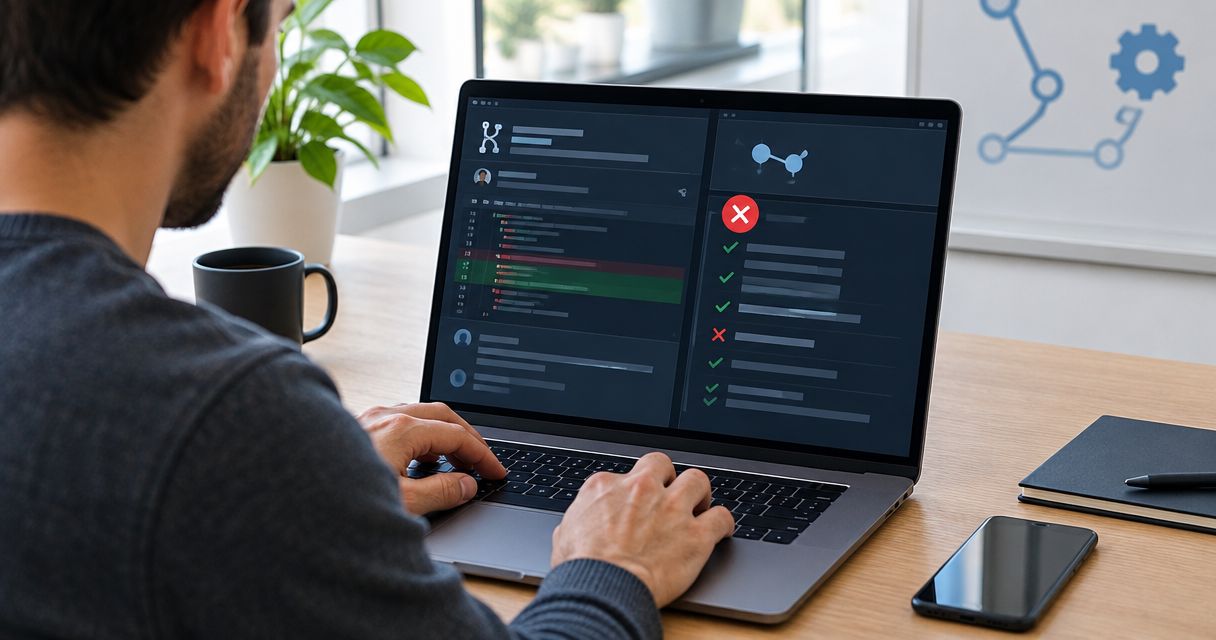

Instead of asking Cursor to review its own changes after every edit, configure a semantic code linter for Cursor-generated code so plain-English project rules become pull-request checks. Use Perchscan to check behavior, then give Cursor the failing rule and relevant code to fix—not another open-ended request to look for bugs.
- Perchscan fits teams that want plain-English behavior rules checked on Cursor-generated pull requests.
- A code linter for Cursor should check project behavior, not replace syntax checks or tests.
- Start with one rule, a known violation, and a matching compliant example.
- Use documented open-source setup instructions; keep coming-soon cloud features outside the required workflow.
Why this matters
A request such as review your changes leaves the acceptance criteria implicit. A project rule makes the expected behavior explicit: describe what a method must do, identify the code involved, and check changes against that requirement.
Perchscan is a semantic code linter for teams that want plain-English project rules checked on pull requests. It scans codebases for bugs, security issues, and project-specific behavior. That is a different job from checking formatting or whether code parses.
For a 2026 setup, start from Perchscan and use the current project documentation for installation and execution. Keep the first integration small. Prove that a rule detects an intentional violation before treating its result as a review gate.
The goal is not to remove review. It is to give reviewers and coding agents a concrete condition they can inspect, fix, and check again.
Before you start
- Repository access: Use a working checkout you can edit in Cursor, permission to create a pull request, and access to the repository's CI configuration and results.
- Installation requirements: Follow the current open-source documentation for supported prerequisites, installation, authentication requirements, and scan commands. Copy commands exactly; do not infer a package name from the brand.
- A testable rule: Prepare 1 rule and 2 code examples: one intentional violation and one compliant implementation. The non-obvious gotcha is scope: a rule about a method's behavior can require callers or callees outside the changed file.
Keep coming-soon cloud features outside the critical path. Build the initial workflow around documented, available open-source functionality. Do not make an announced feature a prerequisite for your first scan.
Project rule configuration
Choose a behavior you already expect reviewers to enforce. Error handling is a useful starting point because a catch block can look tidy while violating the caller's contract.
- Choose the behavior. Select a concrete requirement for one part of the repository. Avoid a rule that asks whether the whole application is correct.
- Write the rule in plain English. For example: when a persistence operation fails, the method must not return a success result. Treat this as an illustrative project rule, not a built-in rule name or configuration format.
- Identify the relevant methods. Include the operation, its error handler, and the caller that interprets its return value. Add callees when they determine whether an exception reaches the handler.
- Define the exception. If a particular failure is deliberately recoverable, state the allowed recovery behavior. Do not leave the checker to infer your product requirements.
- Save the rule using the documented format. Keep the rule with the code it governs so reviewers can inspect behavior and requirements together.
Expected result: A reviewer can read the rule and explain why the violating example fails without needing the original Cursor conversation.
Make the requirement falsifiable
Compare these two instructions:
- Vague: handle errors properly.
- Testable: if saving an account fails, the method must propagate the failure rather than report a successful save.
The second instruction identifies an event and a prohibited outcome. It also tells Cursor what to change after a failed check.
Do not add every error-handling preference to the same rule. Separate failure propagation from logging conventions and retry behavior. A narrow rule is easier to challenge when a result is wrong.
Local scan configuration
Use a disposable branch for the first scan. Keep unrelated edits out of the diff so the result is easy to inspect.
- Install from current documentation. Run the documented installation command in the required environment. Do not reuse an old package name or substitute an assumed command.
- Configure the rule and file scope. Use the documented configuration mechanism. Select the files needed to establish the behavior, not just the file Cursor edited.
- Introduce the known violation. Make the smallest reversible change that breaks the rule. For the persistence example, the violation would report success after a failed save.
- Run the documented scan command. Inspect the result against the rule and the actual method behavior. Do not treat command completion alone as evidence that the intended check ran.
- Apply the compliant implementation. Run the same check again with the same rule and scope. Compare the findings before changing any configuration.
Expected result: You can distinguish a reported violation from a compliant case and explain the difference from the code.
For the 2026 baseline, record the documented command, rule revision, and repository revision used for this check. That record makes later troubleshooting concrete without inventing a standard command that the project does not document.
Interpret results before automating them
Use 3 review outcomes: a genuine violation, a compliant implementation, or an unresolved result that needs inspection. These are your review categories, not asserted output labels.
A genuine violation needs a code change. A compliant implementation needs no workaround. An unresolved result needs investigation into the rule, scope, or execution before you rely on it.
A clean result is useful only after you have shown that the same rule catches a known violation. Otherwise, silence can be mistaken for coverage.
Pull-request check configuration
Move the validated rule into the pull-request workflow after the local examples behave as intended. Keep installation and execution tied to the current open-source documentation.
- Connect the repository using the documented CI setup. Apply only the permissions and configuration that the documented integration requires. Do not invent an editor extension or a Cursor-specific connection step.
- Check the revision under review. Confirm that CI checks the pull-request code rather than an unrelated branch revision. Record which commit produced the result.
- Run the validated rule. Start with the same behavior and scope used locally. Avoid adding unrelated rules while debugging the integration.
- Test the failing path. Open a disposable pull request containing the known violation. Confirm that the check runs and reports the intended problem.
- Test the correction. Push the compliant change and inspect the new result. Enable any repository merge requirement only after both paths work.
Expected result: A pull request exposes the behavior-check result, and a later correction produces a result for the updated revision.
Keep these stages distinct: Rule definition, Known violation, Local scan, Pull-request check, and Corrected change. Each stage answers a different setup question.
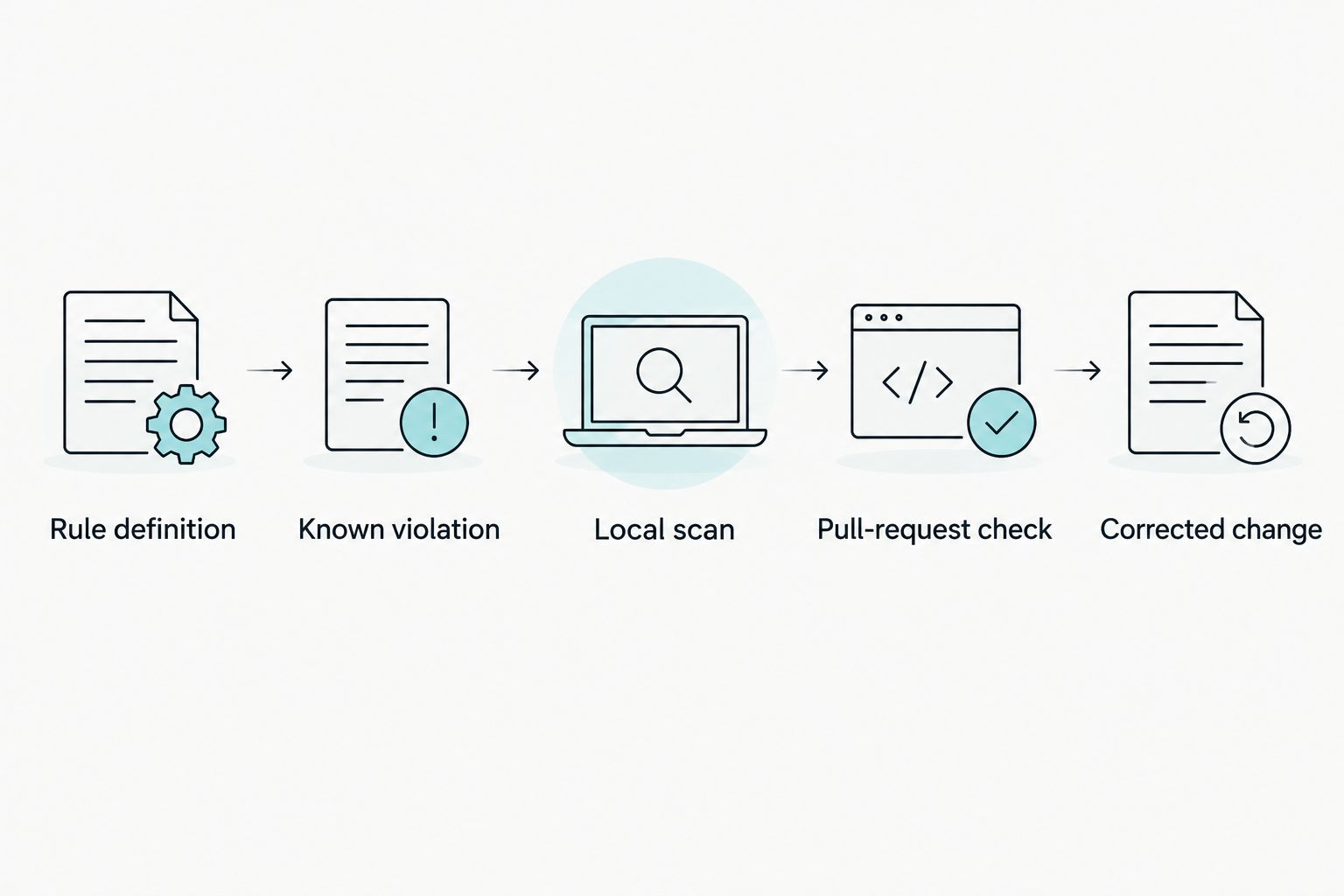
For a 2026 rollout, keep syntax linting, tests, and semantic checks visible as separate checks. A behavior check does not establish that the code compiles or that every test passes.
Cursor correction workflow
Give Cursor a bounded repair task when a check reports a real violation. Include the evidence needed to change the implementation without weakening the requirement.
- Read the finding yourself. Compare the flagged method with the rule. Follow callers and callees when the reported behavior crosses method boundaries.
- Give Cursor the failing requirement. Include the relevant code and the observed mismatch. State which behavior must remain unchanged.
- Ask for an implementation fix. Do not ask Cursor to make the check pass by any means. Keep rule edits outside the task unless the requirement itself is wrong.
- Inspect the diff. Look for removed assertions, broadened exceptions, hidden failure paths, or rule changes that erase the original requirement.
- Run checks again. Execute the semantic check and the repository's relevant tests. Inspect the pull-request result for the corrected commit.
Expected result: The implementation satisfies the original behavior rule, and the correction does not depend on disabling that rule.
This loop also gives human reviewers a smaller question: does the revised method satisfy the stated contract? Reviewers still need to assess requirements, security boundaries, and changes beyond the rule's scope.
When the rule itself changes
A second workflow starts with a requirement change rather than a code defect. Use it when a team deliberately changes the behavior the rule describes.
Update the plain-English rule and its examples together. Explain the intended behavior change in the pull request. Then rerun both the known violation and the compliant example against the revised requirement.
Do not assume a rule-only change will receive the intended coverage. Verify the documented CI trigger behavior and confirm that the relevant check actually executes.
Best for: Teams reviewing changes to project requirements alongside implementation changes. The benefit is visible intent; the cost is maintaining examples whenever that intent changes.
Keep the same discipline in 2026 as rules accumulate: an exception belongs in the requirement or implementation, not in an undocumented reviewer habit.
Cursor self-review versus semantic pull-request checks
Asking Cursor to review its own changes is a useful alternative for exploratory review. It is not the same workflow as applying a saved project rule to a pull request.
| Workflow | Best for | Useful property | Limitation |
|---|---|---|---|
| Cursor self-review | Exploring a diff during implementation | You can ask follow-up questions and inspect proposed fixes immediately | The review request does not itself establish a saved, repeatable pull-request requirement |
| Perchscan semantic checks | Applying plain-English project rules to pull requests | The rule makes the behavior being checked explicit | Rules need maintenance, suitable scope, and validation against real examples |
Use Cursor self-review to investigate. Use a saved semantic rule for behavior your team expects to check repeatedly. Keep human review for decisions neither workflow resolves.
Do not confuse a second review request with a validated acceptance check. They answer different questions and require different evidence.
Troubleshooting
The intentional violation produces no finding
Confirm that the relevant files are in scope and that the rule describes the violated behavior explicitly. Inspect supporting callers and callees. Repeat the test before adding more rules; otherwise, you carry an unproven assumption into CI.
Local and pull-request results disagree
Compare the checked commit, configuration, file scope, and execution environment. Check that CI uses the same intended rule revision. Reproduce the difference on a disposable branch instead of changing the rule to match an unexplained result.
The check flags an intentional recovery path
Inspect the recovery contract. If the behavior is valid, describe the permitted exception precisely and add a compliant example. Do not exempt an entire directory to silence one disputed case.
Cursor fixes the result by weakening the check
Review changes to rules and configuration alongside source changes. Restore the intended requirement, then ask for an implementation-only correction. A passing result after deleting the requirement does not demonstrate a fix.
The check does not run on a rule-only change
Inspect the documented trigger configuration and the actual CI run. Adjust the supported trigger setup so requirement changes receive the intended checks. Never interpret an absent run as a successful scan.
Customize your workflow
Expand by behavior, not by rule count. Add a rule when you can name the contract, show a violation, and describe the permitted implementation.
Useful candidate requirements include failure propagation, authorization before a protected operation, and preserving caller-visible return semantics. These are example requirements to evaluate, not claims about preconfigured checks.
For the next 2026 iteration, assign ownership of each rule to the team responsible for that behavior. Review rule changes like code changes. A rule that nobody can explain is a poor merge requirement.
FAQ
What is a code linter for Cursor?
A code linter for Cursor checks code written or edited with Cursor against defined requirements. Semantic linting addresses behavior and plain-English project rules rather than only syntax or formatting.
Does this workflow require a Cursor extension?
This workflow does not depend on an assumed Cursor extension. Configure the documented code-scanning and pull-request workflow, then use Cursor to correct verified findings.
Is asking Cursor to review its changes enough?
A self-review request does not by itself establish a repeatable pull-request requirement. Use it for investigation, and validate saved behavior rules separately when you need recurring checks.
What should my first semantic lint rule check?
Your first rule should check one concrete behavior with a known violation and a compliant example. Failure propagation is a useful candidate when the repository has a clear error-handling contract.
Should I block merges after the first scan?
Validate the failing and compliant paths before requiring the check for merges. Confirm that the pull-request result belongs to the commit under review.
Can semantic linting replace tests?
Semantic linting does not replace tests. Keep tests and syntax checks alongside behavior checks because each checks a different part of correctness.
What should I do when a behavior check is wrong?
Inspect the rule, file scope, and relevant callers and callees before changing code. If the requirement is wrong, revise it explicitly and rerun the violating and compliant examples.
One last thing
Keep the deliberate violation. Store it as a safe fixture or a reproducible patch outside production execution, using the repository's existing conventions.
That negative control answers a question a clean pull request cannot: would this rule still detect the mistake it was created to catch? Recheck it when the rule, scope, or execution setup changes.